StarrySky Camera1.5.4
Publisher Description
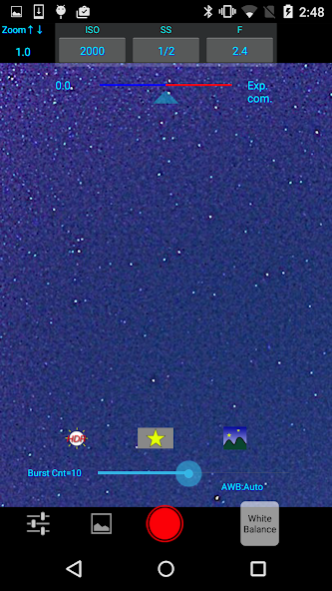
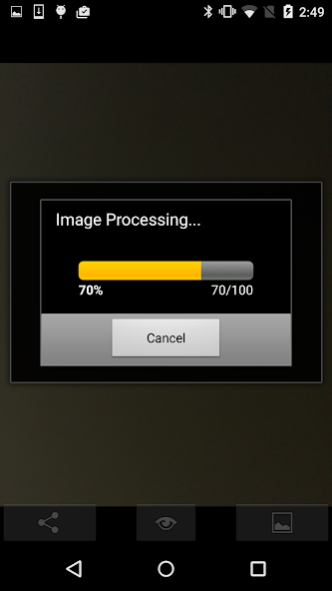
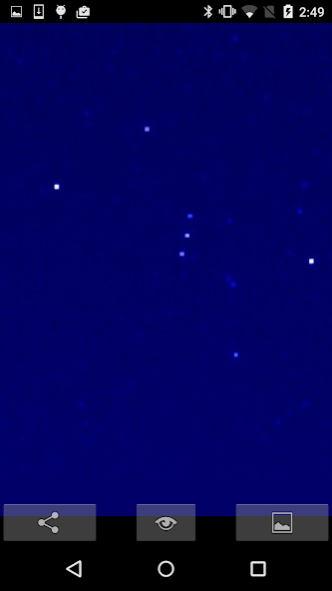
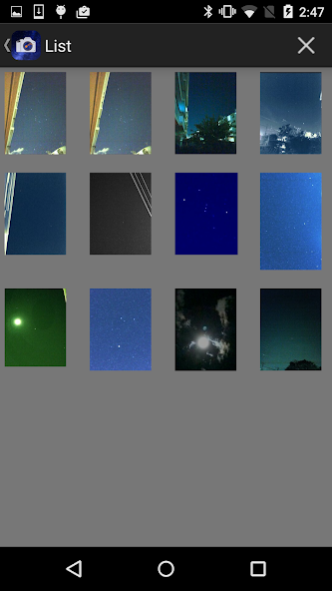
This app assumes the use of a terminal that supports Camera2 API.
You can take stars of the first magnitude and stars of the second magnitude or less in good condition.
--------------
This app artificially expands an exposure time more than ten seconds by technique of the multiple exposures to take picture of dark starry sky brightly.
The only things you have to do to photograph starry sky are
(1) fix a smartphone with tripods etc. and aim it at starry sky,
(2) tap a "star" icon,
(3) press the shutter of the app and wait for around one minute.
In "Star 1", the brightness of the star in the dark night sky is highlighted by selecting the brightest pixel for each pixel in the continuous shooting image.
"Star 2" raises the tone of brightness according to the number of continuous shots and makes it brighter.
"Star 3" adds the brightness of each pixel of the continuous shooting image and makes it very bright.
Even with the same number of exposures, it will be brightly composed with
star 1 However, be careful because the brightness of "star 3" is easily saturated.
It is recommended that you can take a clear picture of "star 1".
It has HDR(high dynamic range) function for daytime photographs.
You can use more than 40 kinds of filters which make various effects to the photographs.
You become able to use all functions by purchasing a paid version.
***
The functions of this application are as follows.
(1) Starry sky and night view photography function
This app generates a high-definition photo image based on the plurality of consecutively photographed images of a night view using the most suitable multiple exposure technique.
It sets each exposure in response to Starry sky or night view appropriately.
It combines photos of consecutive shots into one.
(Some models might not be able to set adequate exposure level)
(2)HDR function
It combines photos of consecutive shots changing exposure with each timing into one piece of photo which is increased dynamic range artificially.
You can set the number of consecutive shots to 1-20.
(3)Camera function
・Indication of exposure information
It displays ISO level, shutter speed and aperture stop in real time.
(Some models do not display them)
・White balance setting
In addition to automatic setting, you can set the white balance corresponding to the conditions such as an incandescent lamp, fine weather, shade, etc.
・Zoom function
You can zoom in or out by flipping down or up action.
In addition to the maximum zoom magnification that a camera permits, it enlarges zoom magnification originally.
In this case, it surrounds the zoom area with green frame lines and let to know easily a zoom position at the whole.
・Resolution
You can select all resolution that a camera has.
(Only in the paid version)
(5)Other functions
・Camera shake compensation function
It minimizes the position displacement in combining the plural images at the consecutive shots.
・Gallery,
The photographs taken by this app are stored in the storage and you can see the list of them on a list screen. (Only in the paid version)
✖️You can delete the image by tapping an icon and choosing an image then tapping a trash box icon.
・Image processing function
When you tap a displayed image, the image is enlarged.
When you tap an editing icon here, it displays a list of filters for image processing.
This app has about 40 filters such as 'Brightness','Contrast','Blur','Sharpening','Sepia','Monochrome','Edge detection', 'Sketch' and so on.
Select a filter from these filters and you can do actual processing to the image on the screen by the selected filter. The image processed can be stored in this app and the camera roll, then you can do another processing subsequently.
・Share function
You can share photographs in email or various SNS.
About StarrySky Camera
The company that develops StarrySky Camera is Cariya Japan Inc.. The latest version released by its developer is 1.5.4.
To install StarrySky Camera on your Android device, just click the green Continue To App button above to start the installation process. The app is listed on our website since 2022-09-23 and was downloaded 4 times. We have already checked if the download link is safe, however for your own protection we recommend that you scan the downloaded app with your antivirus. Your antivirus may detect the StarrySky Camera as malware as malware if the download link to jp.cariya.android.StarrySky is broken.
How to install StarrySky Camera on your Android device:
- Click on the Continue To App button on our website. This will redirect you to Google Play.
- Once the StarrySky Camera is shown in the Google Play listing of your Android device, you can start its download and installation. Tap on the Install button located below the search bar and to the right of the app icon.
- A pop-up window with the permissions required by StarrySky Camera will be shown. Click on Accept to continue the process.
- StarrySky Camera will be downloaded onto your device, displaying a progress. Once the download completes, the installation will start and you'll get a notification after the installation is finished.
Program Details
System requirements
Download information
Pricing
Version History
version 1.5.4
posted on 2022-09-23
You can now view star photos you have taken with this app on the official gallery app. Other minor improvements.
version 1.5.3
posted on 2021-10-27
Raised the target API level.
version 1.5.2
posted on 2021-10-22
Fixed some bugs.
version 1.5.1
posted on 2021-10-18
Implemented a small layout change.
version 1.4.1
posted on 2020-09-25
Some bugs fixed.
version 1.4.0
posted on 2020-09-15
The preview size has been reviewed and improved. You can now change the resolution even in the free version.
version 1.3.9
posted on 2020-07-10
Revised the action at the screen transition. Some bugs fixed.
version 1.3.8
posted on 2020-06-23
Operating instructions have increased.
The moon day is displayed on the setting screen.(A dark night with a young moon is best for starry sky photography)
version 1.3.7
posted on 2020-04-13
Updated night mode and exposure compensation processing.
version 1.3.5
posted on 2020-03-15
Ver.1.3.4 The number of continuous shots has been greatly increased. (Max.100)
Ver.1.3.5 Some bugs fixed.
